
How I Match the Right AI Tool to the Right Problem
- Author
- Hasan Özdişçi
- Published
- Language
- English
How I position Cursor, Codex, and Claude Code in my development process
The views shared in this article are based entirely on my personal experience. Every team and project has its own dynamics.
Artificial intelligence can now write code. But that’s not where the real difference lies.
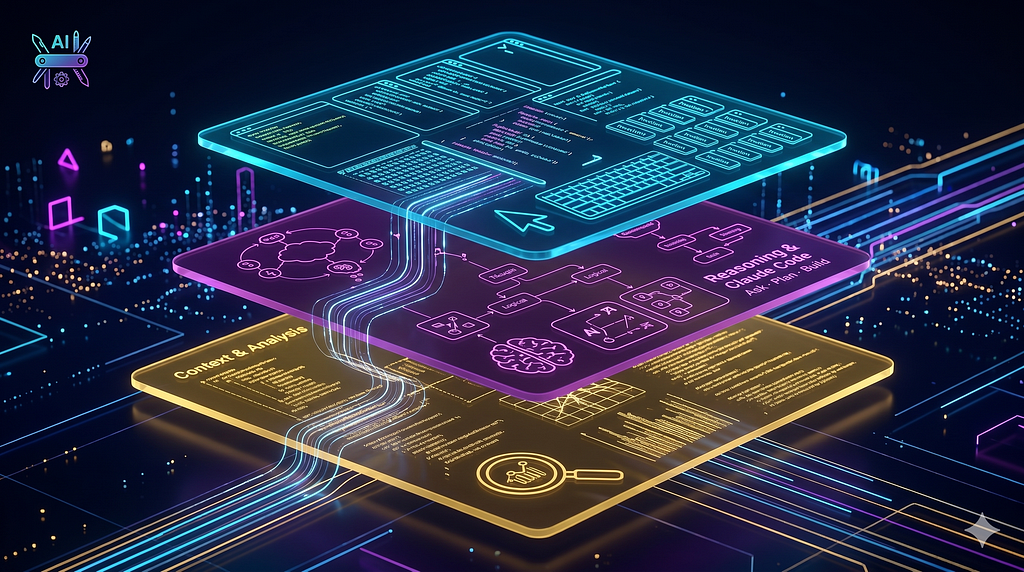
I don’t think in terms of a single tool — I think in terms of layers: an environment to work in, models to generate or reason, and different agent experiences depending on the problem.
The real difference: which problem you solve with which tool. The right match accelerates you significantly. The wrong match produces more debugging and more complexity.
AI-generated code is not the same as understanding your system
The biggest risk when working with AI: as code generation becomes easier, moving forward without truly understanding what you’ve built.
You tell the agent “change this,” and it changes it. But:
- What exactly did it change?
- What did it break?
- What are the side effects?
If you don’t know, this isn’t speed — it’s technical debt in disguise. This risk compounds especially when data flow changes, core logic is affected, or system behavior shifts.
The rule we apply as a team
Every critical piece of AI-generated code is reviewed before merge. The question we ask: “Could I explain this code from scratch?” If the answer is no, the code isn’t ready yet.
Review is not a step — it’s a reflex. Building this habit individually is relatively straightforward; scaling it to a team requires shared culture and process support.
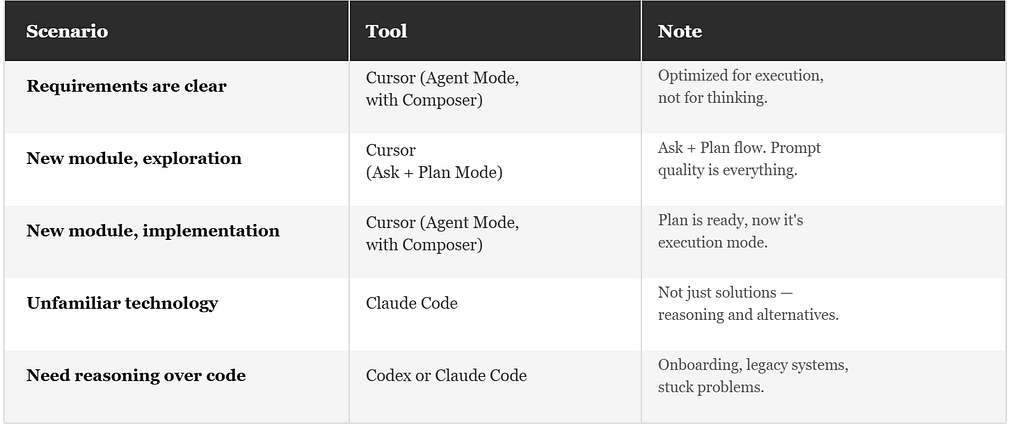
Scenario 1: Requirements are clear — use Cursor (Agent Mode)
You know what you’re building. Requirements are explicit, boundaries are defined.
This is where I go straight to Agent Mode within Cursor — powered by Composer 2, Cursor’s own coding model. CRUD operations, API integrations, repetitive structures, small feature development — fast and reliable enough for all of these.
The key distinction: Composer is the model I prefer for execution-heavy implementation, not for open-ended thinking. If you open it before the scenario is clear, you’ll spend your time fixing the output rather than shipping.
Scenario 2: Building something new — Ask · Plan · Build
Jumping straight to code when building something new is usually the wrong instinct. Instead, I use a three-phase flow:
1 — Ask: Clarify the problem What are the boundaries? How does data flow? What are the edge cases? I use Claude models like Opus or Sonnet at this stage. Prompt quality determines everything here — vague prompt, vague output.
2 — Plan: Define the structure Module breakdown, layer responsibilities, task breakdown. No code gets written here. Architectural decisions are made in this phase.
3 — Build: Implement Once the plan is solid, I move to implementation with Cursor Composer. What needs to be done is clear, no surprises, speed is at its peak.
When Ask, Plan, and Build get mixed together, productivity drops. Each phase has its own mental mode — keeping them separate takes discipline, but pays off significantly over time.
Scenario 3: Unfamiliar technology — Claude Code
When I’m working with a technology I don’t know well, Claude Code does something the others don’t: it doesn’t just produce a solution, it explains the reasoning and shows alternatives.
This significantly shortens the learning curve. I’m not just getting code — I’m building the mental model to evaluate and own that code going forward.
Scenario 4: When I need reasoning over code — Codex or Claude Code
Sometimes the bottleneck isn’t writing code — it’s understanding it. Whether I’m onboarding to an unfamiliar codebase, digging through legacy code, or stuck on a problem that resisted previous attempts, I reach for Codex or Claude Code depending on where I am in the workflow
Both explain reasoning, not just output. Codex fits when I’m oriented around the codebase as a whole — tracing flows, mapping dependencies. Claude Code fits when I’m already deep in a problem and need to hold many constraints in context at once without losing the thread.
Summary
Tools will change. Models will be updated. But problem types won’t.
Once you understand what each scenario requires, the right tool selects itself. The real discipline is making sure you never ship code you don’t understand.
Related
- Related service: AGENTIC AI WORKFLOWS
- Related case study: ROOT CAUSE ANALYSIS TOOL
- Technical article: Zero Human Touch: From Jira Tickets Into Bitbucket Pull Requests